Install the lock, pair the app, calibrate, and set secure codes.
You want clear steps, not guesswork. This guide shows how to set up a smart door lock for first time use with simple checklists, pro tips, and common fixes. I have installed dozens in homes and rentals, and I will help you avoid snags that waste time and money.

What you need before you start
Before you learn how to set up a smart door lock for first time use, gather tools and confirm the door fits the lock. A few checks now save an hour later.
- Phillips screwdriver and small flat screwdriver
- Tape measure and pencil
- Fresh AA or CR123 batteries as the lock needs
- Phone with Bluetooth, the lock app, and strong Wi-Fi nearby
- Optional: wood chisel, drill, and 3 inch strike screws
Confirm fit and standards.
- Door thickness is within the lock range, most are 1-3/8 to 2 inches
- Backset is 2-3/8 or 2-3/4 inches
- Bore hole is 2-1/8 inches and clean
- Latch hole is 1 inch and centered
- Door and frame align well; the bolt must slide smooth
- Look for ANSI/BHMA Grade 1 or 2 for better build
Secure your account from day one.
- Use a unique, long password and enable two-factor login
- Update the lock firmware when the app asks

Pick the right lock and confirm compatibility
Picking the right model is step one in how to set up a smart door lock for first time use. Match the lock to your door, phone, and home system.
Choose the style.
- Deadbolt replacement for most exterior doors
- Lever with latch for interior doors
- Retrofit thumbturn add-ons if you rent and must keep the deadbolt
Match the tech to your home.
- Bluetooth works offline and is easy to pair
- Wi-Fi gives remote control and alerts
- Thread or Matter add fast, low-power links and broad support
- Z-Wave is solid for hubs like SmartThings
Check platforms and rules.
- iOS, Android, and your voice assistant support
- Apple Home, Google Home, Alexa, or SmartThings needs
- HOA and landlord rules for visible hardware changes

Unbox, label parts, and prep the door
Unboxing and prep matter in how to set up a smart door lock for first time use. Lay parts out so you do not mix them up.
Identify the pieces.
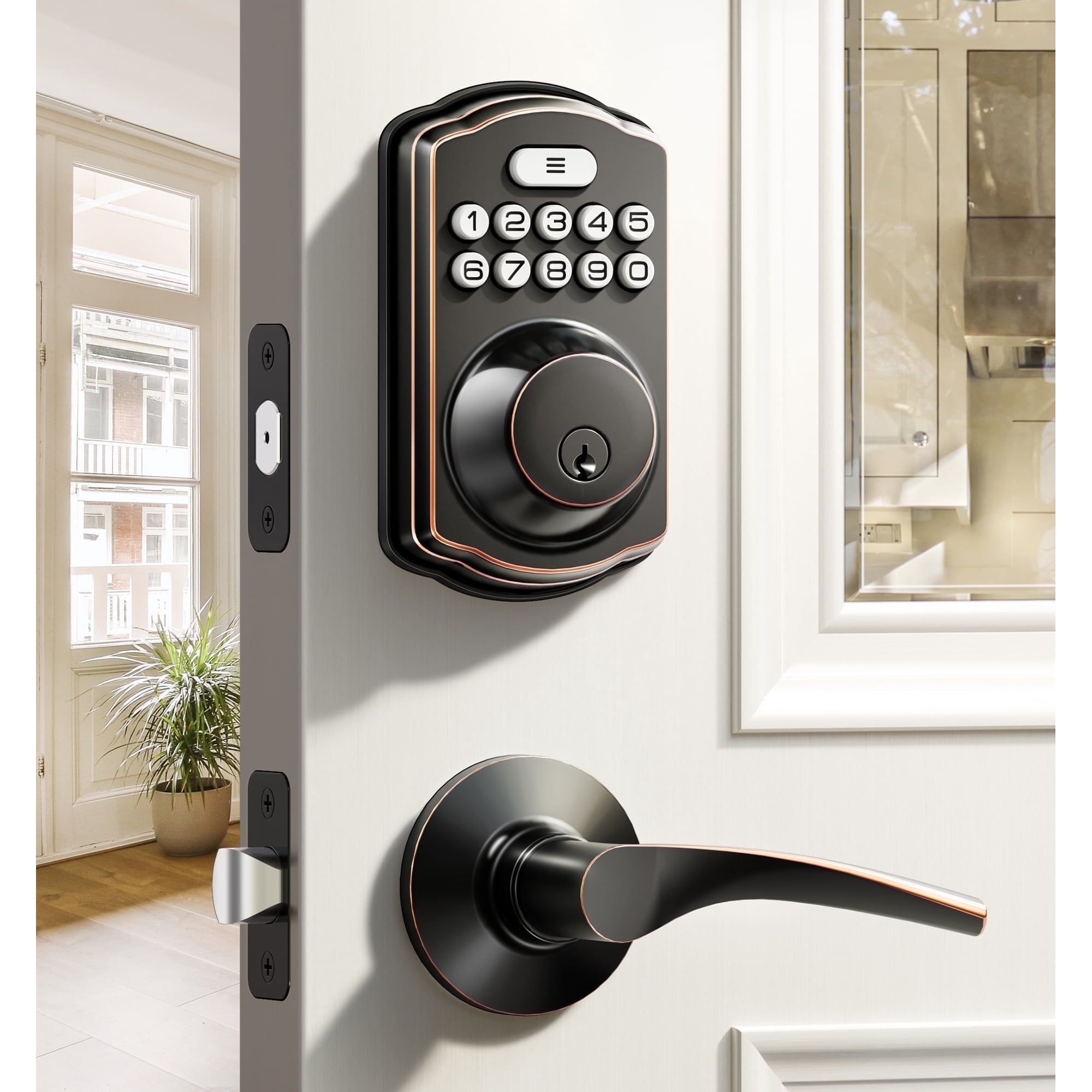
- Exterior keypad or reader with a tailpiece
- Interior mount plate and cover
- Latch and strike plate
- Cable, screws, and adapters
- Battery tray or pack
Prep the door.
- Remove dirt in the bore so the cable will not pinch
- Check the gap between door and frame is even
- Mark door handing; many locks auto-learn, but some need manual set
Pro tip from the field: keep screws in small cups by step. That cuts errors and speeds the job.

Remove old hardware and install the smart lock
Now we install. This is the core of how to set up a smart door lock for first time use. Take your time and avoid over-tight screws.
Remove the old lock.
- Open the door
- Unscrew the interior plate and thumbturn
- Pull the exterior cylinder out
- Remove the latch from the door edge
Install the new latch and strike.
- Set the backset to match your door
- Make sure the latch face is flush; chisel lightly if needed
- Install the strike with 3 inch screws for stronger hold
Mount the lock.
- Feed the tailpiece through the latch
- Route the cable under or beside the latch, not over it
- Add the interior plate and tighten the two long screws until snug
- Connect the cable to the interior unit
- Attach the interior unit and secure it
Mistakes to avoid.
- Do not pinch the cable
- Do not over-tighten; it can bind the bolt
- Keep the lock level so the keypad looks straight

Power up and calibrate
Power and auto-cal are key in how to set up a smart door lock for first time use. The lock must learn the bolt path and door swing.
- Insert fresh batteries of the same type; do not mix brands
- Follow the app or manual to run auto-hand and bolt learn steps
- Watch for smooth throw from full retract to full extend
- If it grinds or slows, stop and fix door bind first
Many locks can set jam detect and motor torque. Use the default first. Raise torque a step only if the bolt meets light drag.

Connect the app and secure the account
The app link is the brain of how to set up a smart door lock for first time use. Pair the lock, then lock down your login.
- Install the official app and create your account
- Use a unique password and turn on two-factor
- Start pairing; stay within a few feet for Bluetooth
- Add Wi-Fi if your model supports it; 2.4 GHz is most stable
- Name the lock and set the time zone
Network tips I use on jobs.
- Turn off band steering if the app cannot find 2.4 GHz
- Keep the lock within two rooms of the router or add a mesh node
- Reserve the IP in your router for a stable link

Add users, PINs, and backup keys
User codes bring the daily part of how to set up a smart door lock for first time use. Plan roles now to avoid chaos later.
Create user types.
- Owners with full rights
- Family with normal rights
- Guests with time windows
- Cleaners with day and hour limits
Set strong, simple rules.
- Use 6 or more digits that are not birthdays or repeats
- Avoid codes like 1234 or 2580
- Turn on auto-lock with a short delay if safe for your door
Use extras if your lock has them.
- One-time codes that expire on first use
- NFC or phone keys
- Mechanical key as a last resort; store it in a safe spot
Integrate with your smart home
Smart home scenes round out how to set up a smart door lock for first time use. Tie the lock to lights, alarms, and voice.
Good automations to try.
- Lock when you set Away in your app
- Turn on a hall light when you unlock at night
- Send a phone alert if the door stays unlocked for 5 minutes
Voice tips.
- Set a voice PIN for unlock with Alexa or Google
- Allow lock by voice; block unlock unless you trust the room
Use geofence with care. Auto-unlock feels great, but set a tight radius and a delay. Add a rule that the phone must be in hand and recently used.

Test, troubleshoot, and fine-tune
Tests close the loop on how to set up a smart door lock for first time use. A few checks now prevent late-night lockouts.
Run a test plan.
- Lock and unlock ten times by keypad and app
- Test each user code and schedule
- Check alerts and history logs
Fix common issues.
- Bolt jams: adjust the strike up or down a hair
- Low signal: move a mesh node closer
- Short battery life: fix door bind before blaming the lock
- Random beeps: finish firmware updates and reboot the lock
Use dry graphite or a PTFE spray on the bolt. Do not use oil; it can gum up the latch.
Security, privacy, and maintenance best practices
Strong habits keep safe what you built in how to set up a smart door lock for first time use. Small steps raise both safety and peace of mind.
- Update firmware often; turn on auto-updates in the app
- Use two-factor on every admin account
- Put IoT devices on a guest or IoT Wi-Fi network
- Replace batteries as a set; keep a spare pack on hand
- Clean the keypad to reduce smudge clues
- Use 3 inch screws in the strike and hinge plates to harden the door
- Review access logs and delete old guest codes
If you manage a rental, export logs and keep records per local rules. Be clear with guests about what is tracked and why.
Frequently Asked Questions
How long does installation take the first time?
Most installs take 30 to 60 minutes. If the door is out of alignment, plan for 90 minutes.
Do I need a hub to use my smart lock?
Many locks work with Bluetooth and Wi-Fi alone. A hub helps if you want scenes or Z-Wave.
What batteries should I use?
Use fresh alkaline or the type the maker lists. Do not mix old and new batteries.
Can I keep my old keys?
Some models support rekey to your old keyway. Others are keyless only, so check before you buy.
Is auto-unlock safe to use?
It can be, if you set a short geo-fence and phone checks. Add alerts so you know when it triggers.
What happens if the power or internet goes out?
The lock runs on batteries and still works by keypad. Remote control needs internet, but local codes still work.
Where do I learn more on how to set up a smart door lock for first time use?
Check your lock manual and the app’s help. Many brands have short videos that match each step.
Conclusion
You now know the full path from box to daily use. You learned to choose the right model, fit the door, install cleanly, pair the app, add users, and lock in good security habits. Smart, simple steps beat guesswork every time.
Take one door and do it today. Set clear codes, turn on two-factor, and run your test plan. If this helped, subscribe for more setup guides, or drop a comment with your lock model and any snags you hit.