Wear a snug smartwatch, calibrate with a cuff, rest, and measure at heart level.
If you want to know how to measure blood pressure accurately with a smartwatch, you’re in the right place. I’ve tested many wearables and coached users on setup, calibration, and habits. This guide explains how to measure blood pressure accurately with a smartwatch step by step, with clear tips, simple science, and hard-won lessons you can use today.

How smartwatch blood pressure sensors work
Most smartwatches use light to track blood flow under your skin. This is called photoplethysmography, or PPG. Some also use ECG signals. The watch then estimates pressure with math models and your calibration.
These estimates can be useful for trends. But they are not the same as a clinic-grade cuff. Studies show cuffless methods drift over time and need regular calibration. That is why how to measure blood pressure accurately with a smartwatch always starts with a good cuff.
Remember the goal. Use the watch for daily patterns and prompts. Use a validated upper-arm cuff for diagnosis and treatment advice.

What you need before you start
You will get better results when you prepare well. Set yourself up with a few simple tools and habits.
- A smartwatch that supports blood pressure estimation Make sure the feature is available in your region.
- A validated upper-arm cuff for calibration Pick one with the right cuff size for your arm.
- A quiet spot and a chair with back support A table to rest your forearm helps.
- A note app or health app to log readings Data makes patterns clear.
- Five free minutes You need to sit still and relax.
With these in place, how to measure blood pressure accurately with a smartwatch becomes much easier.

Step-by-step: how to measure blood pressure accurately with a smartwatch
Follow this routine. Keep it simple and repeatable. This is the best way to learn how to measure blood pressure accurately with a smartwatch.
- Prepare your body
- Avoid caffeine, nicotine, big meals, and exercise for 30 minutes.
- Empty your bladder.
- Remove tight sleeves or bracelets on that wrist.
- Sit and settle
- Sit with your back supported and feet flat on the floor.
- Rest your forearm on a table. Keep the watch at heart level.
- Relax and breathe. Stay quiet for 5 minutes.
- Check the watch fit
- Wear the watch one finger above the wrist bone.
- Make it snug but not tight. Sensors should touch skin fully.
- Clean and dry skin. Avoid placement over heavy tattoos.
- Calibrate with a cuff
- Put the cuff on the opposite arm if possible.
- Take three cuff readings as the app instructs.
- Enter or sync each value to calibrate the watch.
- Take your watch reading
- Start the blood pressure app on the watch.
- Keep still, arm at heart level, and do not talk.
- Wait for the result. It takes about 30 seconds.
- Repeat and average
- Take two or three readings, one minute apart.
- Average them for a more stable number.
- Log and review
- Save the results in your health app.
- Add notes like time, meds, stress, sleep, or exercise.
Do this routine in the morning and evening. With time, how to measure blood pressure accurately with a smartwatch will feel natural.
Calibrate your smartwatch the right way
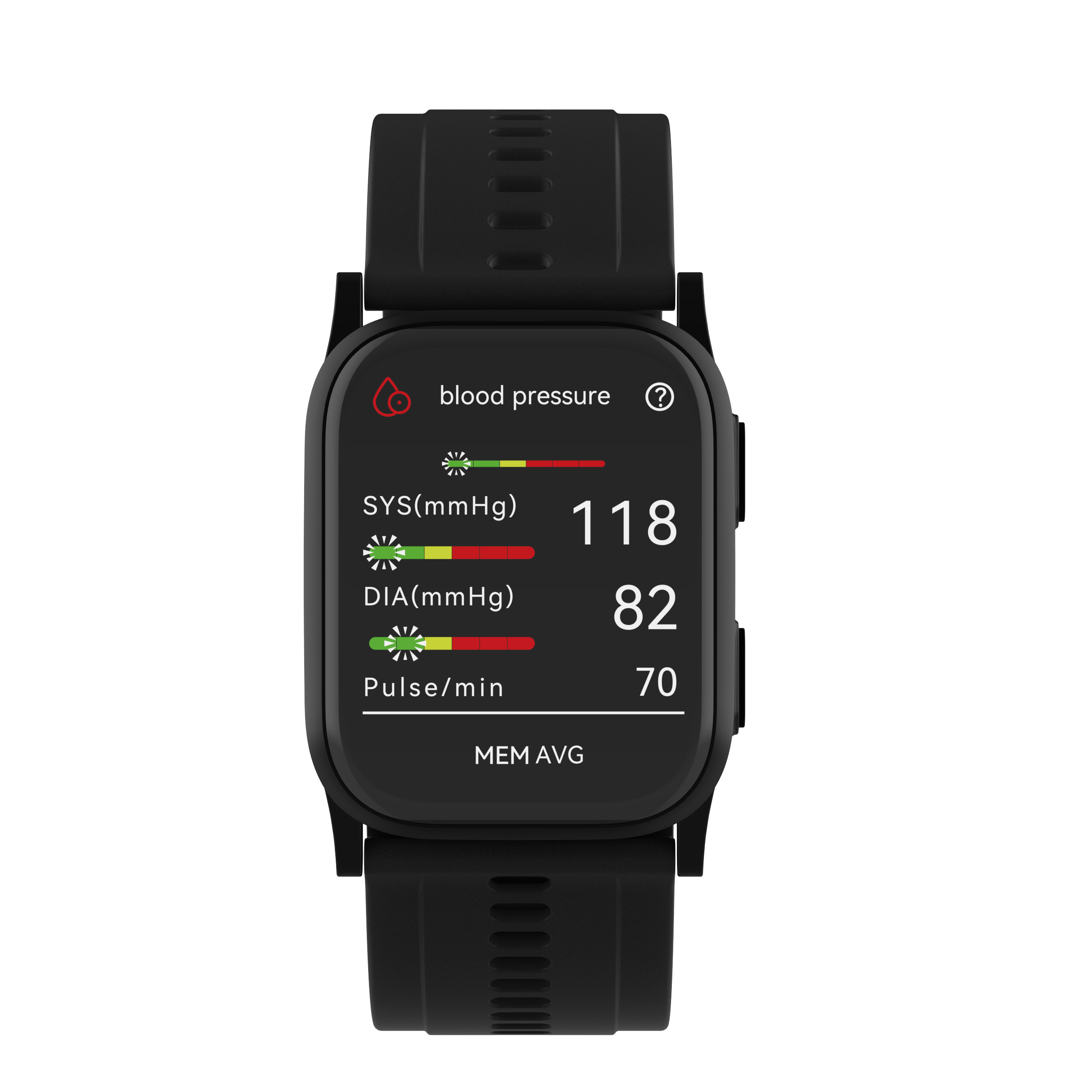
Calibration is the anchor for accuracy. Without it, your watch will guess and may drift.
- Use a well-fitted upper-arm cuff Calibrate with three back-to-back readings.
- Follow the watch app cues Many watches ask for re-calibration every 2 to 4 weeks.
- Re-calibrate after big changes Weight loss, new meds, or travel can shift results.
- Keep posture the same Use the same arm, chair, and position when you calibrate.
If you skip these, how to measure blood pressure accurately with a smartwatch becomes much harder. Good calibration pays off in better trends.

Accuracy tips and common mistakes to avoid
Small things matter. These tweaks boost reliability.
- Keep the watch at heart level Lower or higher positions change readings.
- Do not talk or move Talking can raise pressure and add noise to the signal.
- Watch the strap fit Too loose breaks contact. Too tight alters flow.
- Warm your hands Cold hands reduce blood flow and confuse sensors.
- Avoid stacked bracelets or cuffs They can press on arteries and skew results.
- Measure at the same times daily Routine wins over randomness.
- Take more than one reading Averaging reduces random error.
These are simple, but they are the heart of how to measure blood pressure accurately with a smartwatch.
Readings and what they mean
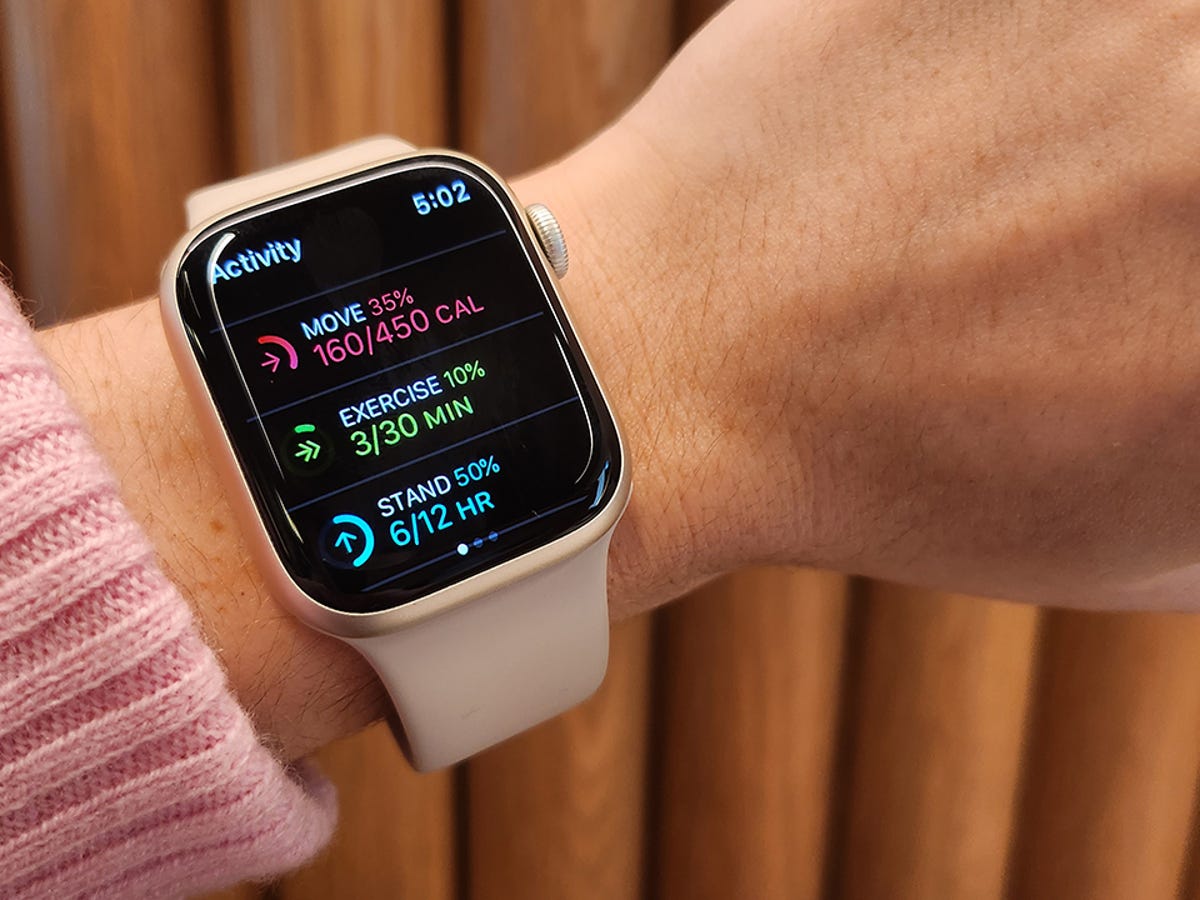
Smartwatch results are estimates. Use them to spot patterns and triggers. Pair with cuff checks for key decisions.
- Normal Less than 120/80 mmHg.
- Elevated Systolic 120 to 129 and diastolic less than 80.
- Stage 1 High Blood Pressure 130 to 139 or 80 to 89.
- Stage 2 140 or higher or 90 or higher.
- Urgent signs Above 180 and/or above 120, especially with symptoms like chest pain or shortness of breath. Seek care.
Use your watch to see how sleep, stress, and salt affect you. That is the power behind how to measure blood pressure accurately with a smartwatch and act on daily habits.

Who should and should not rely on a smartwatch
For trend tracking, most adults can benefit. Some cases need extra care.
- Good fit People tracking lifestyle changes or meds over time.
- Use with a cuff People who calibrate often and confirm key readings.
- Caution needed Irregular heartbeat, heavy tattoos under the sensor, cold extremities, or peripheral artery disease.
- Not for emergencies Do not delay care while checking your watch.
If any of these apply, talk with your clinician. This keeps how to measure blood pressure accurately with a smartwatch safe and useful.

My field-tested routine for steady results
Here is what works for me and my clients.
- I measure at 7 a.m. and 8 p.m. Same chair, same table, same arm.
- I sit quiet for five minutes first. I set a short timer so I do not rush.
- I take three watch readings and average them.
- I confirm with a cuff twice a week, or when numbers look off.
- I re-calibrate every three weeks or after travel.
When I skip the quiet time, my results jump. When I keep the routine, they settle. This is the real core of how to measure blood pressure accurately with a smartwatch.

How to choose the right smartwatch for BP tracking
Your choice matters. Look for features that support accuracy and ease.
- Supported feature Make sure blood pressure is available in your country and on your phone.
- Clear calibration flow The app should guide you and remind you to re-calibrate.
- Validation claims Look for any clinical validation statements for your region.
- Battery life Longer life means fewer missed readings.
- Comfort and size A case that fits your wrist improves sensor contact.
- Health app quality You want easy logs, exports, and note-taking.
- Cuff backup If possible, keep a good upper-arm cuff at home.
A better device makes how to measure blood pressure accurately with a smartwatch simpler day to day.
Privacy, safety, and when to call a doctor
Health data is sensitive. Guard it and use it wisely.
- App permissions Review what you share and with whom.
- Cloud sync Understand where data goes and how it is protected.
- Alerts and spikes Confirm high or low spikes with a cuff.
- Red flags If you have chest pain, shortness of breath, fainting, vision changes, or a severe headache, seek care now.
Smartwatches are great for trends. They are not a diagnosis tool. Use them to ask better questions at your next visit. That is the smart way to approach how to measure blood pressure accurately with a smartwatch.
Frequently Asked Questions of How to measure blood pressure accurately with a smartwatch
Can a smartwatch replace a blood pressure cuff?
No. A smartwatch estimates blood pressure and works best for trends. Use a validated upper-arm cuff for diagnosis and treatment decisions.
How often should I calibrate my smartwatch?
Most watches need calibration every 2 to 4 weeks. Re-calibrate sooner after travel, weight change, or new medications.
Which wrist should I use for measuring?
Use the wrist that matches your cuff calibration side. Keep that wrist at heart level and use it the same way each time.
Do tattoos or dry skin affect readings?
Yes. Heavy tattoos can block light, and very dry skin can reduce contact. Try a tattoo-free spot or use moisturizer and a snug fit.
Why are my readings higher at night?
Stress, salt, alcohol, or poor sleep can raise evening values. Take two to three readings, average them, and compare with cuff checks.
Is it safe to measure after a workout?
Wait at least 30 minutes after exercise. Your heart rate and blood flow need time to settle for a steady reading.
What if my watch reading is very different from my cuff?
Repeat both methods and average two or three readings. If the gap stays large, re-calibrate and check cuff size and posture.
Conclusion
Smartwatches make blood pressure tracking easier, but technique is everything. Calibrate with a good cuff, sit still, keep the watch at heart level, and repeat readings. Build a steady routine, and confirm key numbers with an upper-arm cuff.
Start today. Set a morning and evening time, follow the steps, and log your results for two weeks. You will learn what shifts your numbers and how to measure blood pressure accurately with a smartwatch with confidence. Want more guides like this? Subscribe, share your questions, or leave a comment with your setup and wins.